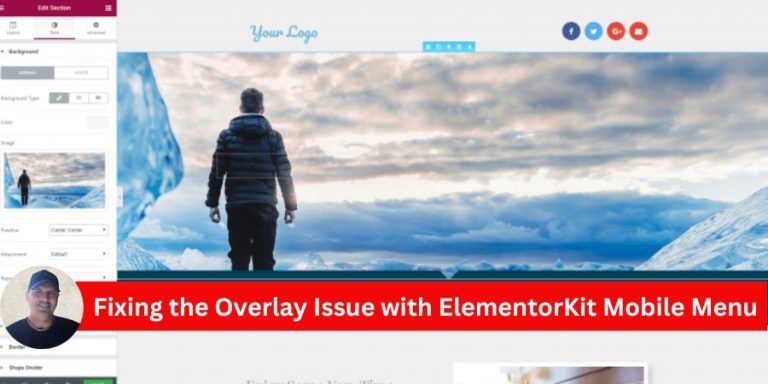
Fixing the Overlay Issue with ElementorKit Mobile Menu

If you’re using ElementorKit for your website and encounter an issue where the mobile menu overlay prevents users from closing the menu, you’re not alone. This is a known bug where the menu remains visible, even though users can scroll the page. The “X” close button becomes unresponsive, leading to a frustrating user experience. Fortunately, there’s a straightforward solution to this problem.

Understanding the Issue

The problem stems from conflicting z-index values in the mobile menu’s overlay and the menu container. The overlay covers the close button, making it impossible for users to interact with it. As a result, the menu stays open even if users try to close it or click outside the menu area.

Step-by-Step Solution

Here’s how you can resolve the issue by adjusting the z-index values in Elementor:

1. Open the Header in Elementor

  • Navigate to your WordPress dashboard.
  • Go to Templates > Saved Templates and locate your header.
  • Click Edit with Elementor to open the header template in the Elementor editor.

2. Adjust the Overlay’s z-index

  • Select the container that holds your mobile menu overlay.
  • Under the Advanced tab, scroll down to the Custom CSS section.
  • Add the following CSS code: z-index: auto !important;

This ensures the overlay’s z-index does not override the close button or interfere with user interactions.

3. Set a High z-index for the Menu

  • Now, select the mobile menu container (the element containing the menu items and close button).
  • Under the Advanced tab, locate the z-index field.
  • Set the z-index to 5000 specifically for the mobile view. You can do this by switching to the responsive mode in Elementor and selecting the mobile view.
    • Desktop View: Leave the z-index as is.
    • Mobile View: Set z-index to 5000.

4. Save and Test

  • Save your changes by clicking Update.
  • Test your mobile menu to ensure the overlay no longer blocks the close button, and the menu closes as expected when clicking outside or using the “X” button.

Why This Works

The overlay’s default z-index is often too high, causing it to sit above interactive elements like the close button. By setting the overlay’s z-index to auto and increasing the menu’s z-index to 5000, you prioritize the menu and its interactive elements over the overlay.

Final Thoughts

This z-index conflict in ElementorKit is a common bug, but with the above solution, you can quickly fix the issue and restore the expected behavior of your mobile menu. Keeping your mobile menu functional is essential for user experience, especially since mobile users make up a significant portion of web traffic.

If the issue persists despite these changes, consider reaching out to ElementorKit’s support team for further assistance.

cid39255566

Check Out Amazing, Time Saving Marketing Tools

Picture of Constantinos Albanidis

Constantinos Albanidis

As a digital nomad of 10 years now, I'm an expert full-stack marketer who loves helping businesses expand their online presence. With my background in web design, I craft clean, convertible websites that help clients attract and engage customers. Outside of client work, I enjoy researching and testing the latest AI tools. As an early adopter of conversational technologies, I love sharing how bots can enhance marketing efforts. I also publish a popular blog discussing ethical use cases for AI in business. When not coding or collaborating with AI, I pursue my passion for using strategic content and social media to grow brands. With a specialty in automated traffic generation, I help companies drive qualified leads through organic sharing. I strive to stay on top of evolving digital trends so I can advise clients on the most effective tactics. Community is also core to my values, so you'll often find me volunteering my skills for nonprofit causes. Reach out to discuss your goals - I'm always eager to help others succeed online.

Follow Our Page

Recent Posts

Sign up for our Newsletter

Subscription Form

Subscribe to my exclusive newsletter and gain access to a treasure trove of insider tips, expert strategies, and cutting-edge insights

Check Out Amazing, Time Saving Marketing Tools

A.I. Tools

Why Envato Elements is a Smart Choice for Creators

Discover how Envato Elements offers an unlimited-access library of creative assets for just $16.50/month. Simplify your workflow with a single licensing path and access to diverse resources that enhance both team and solo projects, ensuring quality and efficiency in your content creation process.

Read More »
Articles

Build Your Online Store with WooCommerce on WordPress

Discover how to create a successful online store using WooCommerce on WordPress.com. From planning your store structure to optimizing for SEO, this guide covers everything you need to know to launch and manage your ecommerce site effectively.

Read More »
Articles

WordPress.com for Developers: A Powerful Platform Guide

Discover how WordPress.com has evolved from a beginner-friendly tool to a robust platform for developers. Explore its hosting, customization options, and extensive plugins to unleash your creative potential and take control of your digital projects.

Read More »
Articles

Refresh Your WordPress.com Site This Spring

Explore innovative redesign ideas to revitalize your WordPress.com site this spring. Discover tips on enhancing design flexibility, security features, and scalability while utilizing the power of plugins and managed hosting for optimal performance.

Read More »
Hot Deal
Logo
Register New Account

Join our Newsletter:
Stay Ahead of the Game!!!

Join our exclusive newsletter community today and unlock a world of valuable insights, expert advice, and exciting updates delivered right to your inbox, empowering you to stay ahead and make the most of every opportunity.

Subscription Form
Shopping cart