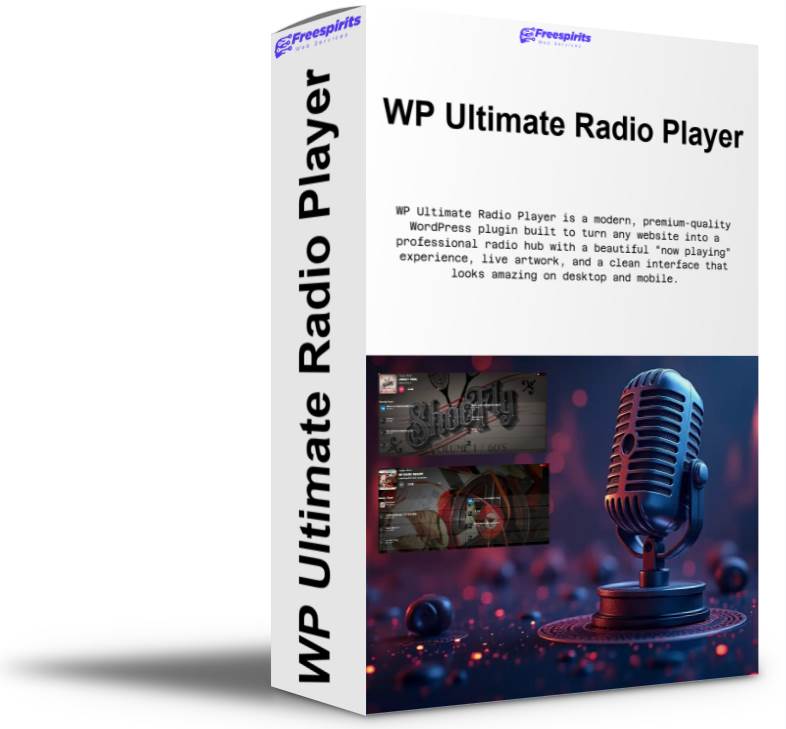
WP Ultimate Radio Player
Transform your website into a professional radio hub with WP Ultimate Radio Player. This premium WordPress plugin offers a sleek design, live metadata, and instant playback controls, making it perfect for radio stations, DJs, and podcast creators.
Original price was: $120.00.$67.00Current price is: $67.00.
WP Ultimate Radio Player is a modern, premium-quality WordPress plugin built to turn any website into a professional radio hub with a beautiful “now playing” experience, live artwork, and a clean interface that looks amazing on desktop and mobile. Designed to work perfectly with AzuraCast (and to remain compatible with many other streaming setups), this player is ideal for radio stations, podcasts with live streams, DJs, music communities, clubs, event websites, internet broadcasters, and any brand that wants to keep visitors listening longer.
Built with performance and usability in mind, WP Ultimate Radio Player delivers the features people actually want: instant playback controls, live metadata (song title + artist), dynamic cover art, recently played history, responsive layout, and a polished look that instantly upgrades your site’s presence. It is also made to be easy for beginners while still offering enough customization for power users who want pixel-perfect control.
A Premium Radio Player Experience for WordPress
A lot of radio players in WordPress feel dated, clunky, or overloaded with unnecessary elements. WP Ultimate Radio Player focuses on what matters: a clean and modern player UI, fast loading, smart metadata handling, and strong compatibility with real-world radio stacks.
The result is a player that looks like a high-end streaming application embedded directly into your WordPress pages—without forcing you to touch code, create complicated layouts, or install multiple plugins just to get “Now Playing” to show correctly.
Built for AzuraCast (And Friendly to Many Streaming Platforms)
Azuracast has become one of the most popular solutions for running modern online radio stations, and WP Ultimate Radio Player is designed to work smoothly in that environment.
With AzuraCast, stations typically provide data via their APIs (now playing, song history, art URLs, etc.). WP Ultimate Radio Player can consume and display this information in a way that feels natural and fast to the listener. That means:
- Live “Now Playing” updates (title/artist)
- Recently played tracks list
- Cover art support with fallbacks
- Smooth playback controls for the stream
At the same time, WP Ultimate Radio Player is built to remain compatible with many other streaming projects, including common Icecast and SHOUTcast setups and similar radio stream sources that provide now-playing metadata. This makes it an excellent choice whether you’re running a simple stream URL or a full station automation platform.
Autoplay Support (With Smart Browser Behavior)
One of the most requested features for internet radio websites is autoplay—so listeners don’t have to hit play every time they refresh.
WP Ultimate Radio Player includes autoplay as a configurable feature. By default, autoplay is enabled so the player attempts to start automatically when the page loads. This delivers a “radio-like” experience where the station feels live and immediate.
Important note (transparent and honest): modern browsers sometimes restrict autoplay unless the user has interacted with the page before. That’s not a plugin limitation—it’s a browser policy. WP Ultimate Radio Player handles this gracefully: it will attempt autoplay, and if the browser blocks it, the player remains ready and responsive, so a single click starts the stream instantly.
Live Cover Art With Smart Fallbacks
Cover art is what transforms a plain audio player into a premium listening experience. WP Ultimate Radio Player supports dynamic cover images and includes smart fallback behavior so the UI always looks polished—even when the stream does not provide artwork.
Cover Art Features Include:
- Displaying current track cover art when available
- Using intelligent fallback images when artwork is missing
- Clean handling of “unknown track” cases
- No broken image icons, no empty cover blocks
Default “No Cover” Design
For “Recently Played” items and placeholders where no cover is available, the plugin includes a beautiful default image (like bg-capa.jpg) so everything stays visually consistent. This is especially important because many stations have tracks without embedded album art or metadata that doesn’t include an image. With WP Ultimate Radio Player, your site still looks premium.
Background Image Options: Auto, Cover, or Contain
Your radio player isn’t just functional—it’s part of your website’s design. That’s why WP Ultimate Radio Player includes a powerful option for how the cover/background image fits inside the player.
You can choose:
- Auto (default) – a balanced setting for most sites
- Cover – fills the whole player background like a hero image
- Contain – keeps the full artwork visible without cropping
This matters a lot for branding. Some stations want the artwork to fill the whole background with a “cinematic” effect (cover). Others want a clean, contained look that avoids cropping (contain). WP Ultimate Radio Player gives you control without needing custom CSS.
LIVE “On Air” Badge With Custom Upload Support
Online radio is about being live, present, and active. WP Ultimate Radio Player includes a LIVE badge feature to make that instantly visible.
LIVE Badge Highlights:
- Displays a LIVE badge on the top-right corner on desktop
- On mobile, it moves under the volume bar for a cleaner layout
- Enabled by default, but can be disabled anytime
- Supports custom badge images via upload:
- GIF (animated), JPG, PNG, WebP, BMP (and more)
This is perfect if you want to upload your own branded “ON AIR” animation, a station logo badge, or a themed seasonal badge (e.g., Christmas LIVE, Summer LIVE, etc.).
Recently Played History That Adds Trust and Engagement
A big part of radio credibility is showing listeners what you actually play. “Recently Played” helps with transparency and boosts engagement, because visitors can see your music quality instantly.
WP Ultimate Radio Player includes a Recently Played section that:
- Lists recent tracks cleanly and clearly
- Uses small cover tiles for a modern look
- Remains visually consistent even when covers are missing (thanks to default cover fallback)
- Can be enabled/disabled depending on your preference
For stations that want a minimal player, you can turn it off. For stations that want a richer experience, you keep it on and make the player feel alive.
Responsive Layout: Built for Desktop and Mobile
Your visitors aren’t all on desktop. Many listeners will be on mobile (Android/iPhone), tablets, or embedded views inside social browser apps. WP Ultimate Radio Player is designed to look great everywhere.
- On large screens, the player uses space efficiently and looks like a premium widget.
- On mobile, it reorganizes elements so the UI stays usable and readable.
- The LIVE badge placement is optimized per device.
- The controls remain easy to tap, and layout avoids overlapping elements.
Player Size Controls: Width & Height Options
Every website design is different. Some users want the player to span full width across the page. Others want it embedded in a sidebar, inside a hero section, or in a fixed container.
WP Ultimate Radio Player includes size controls for both width and height:
Width Options:
- Auto (default) – fits naturally in your theme layout
- Full (100%) – stretches across the container width
- Custom – you set the exact width (px, %, etc.)
Height Options:
- Auto (default) – ideal for most themes
- Full (100%) – for full-panel sections or special layouts
- Custom – perfect for landing pages and custom embeds
This makes the plugin flexible enough to be used in:
- Homepages
- Sidebars
- Landing pages
- Full-screen “listen live” pages
- Popup modals (with your theme/page builder)
Lightweight, Clean, and Built for Real Sites
WP Ultimate Radio Player is built to remain lightweight and practical. It’s not bloated with unnecessary visual builders or heavy dependencies. It focuses on doing one job extremely well: providing a premium radio player experience with modern visuals and reliable playback behavior.
It’s also designed with smart defaults, meaning you can install it and use it immediately without spending an hour tweaking settings.
Perfect For
WP Ultimate Radio Player is ideal for:
- Azuracast Radio Stations who want a modern WordPress player
- Icecast / SHOUTcast broadcasters who need a clean listening widget
- DJs and music curators who stream live shows
- Clubs and event venues that run a live stream
- Online communities with a “listen together” vibe
- Podcast brands that also run a live radio channel
- Local stations modernizing their website without rebuilding it
Vendor & Branding
WP Ultimate Radio Player is developed by:
Albanidis Dim. Konstantinow
Powered by Freespirits (linked directly to your website)
This ensures the plugin is clearly branded and professional, suitable for product listings, client work, and resale.
Summary: Why This Player Stands Out
WP Ultimate Radio Player isn’t just “another audio player.” It’s a complete radio listening experience for WordPress, built for modern stations and modern audiences. It combines a premium UI, live metadata, cover art logic, responsive design, and practical customization options into one solid plugin that works beautifully with AzuraCast and stays compatible with many other streaming setups.
If you want visitors to stay longer, listen more, and feel like your station is truly alive—this is the player that delivers.
Check the demo to the following links
Page : https://fspirits.com/test-ultimate-radio-player-2/
Post : https://fspirits.com/test-ultimate-radio-player/
- Place each from separate line (optional)
- Beautiful modern player UI (desktop + mobile)
- Azuracast-friendly with live metadata and history
- Works with Icecast and Shoutcast streams
- Autoplay option and smart reconnect playback behavior
- Dynamic cover art with solid fallback images
- Cover size option (Small/Big) for better design control
- Custom LIVE/ON AIR badge (upload GIF/JPG/PNG/BMP)
- Marketing HTML/iframe banner slot built-in
- Easy shortcode usage and simple settings page
- Lightweight and fast, without bloated builders
- Place each from separate line (optional)
- Browser autoplay policies may still require one user click on first visit
- Stream quality/uptime still depends on your broadcasting server
- Advanced styling beyond the options may require custom CSS
Related Products
CreateStudioPro – One Time Payment with Lifetime Access
VidToon 2.1 – Drag and Drop Animated Videos Maker