WP Banner Rotator
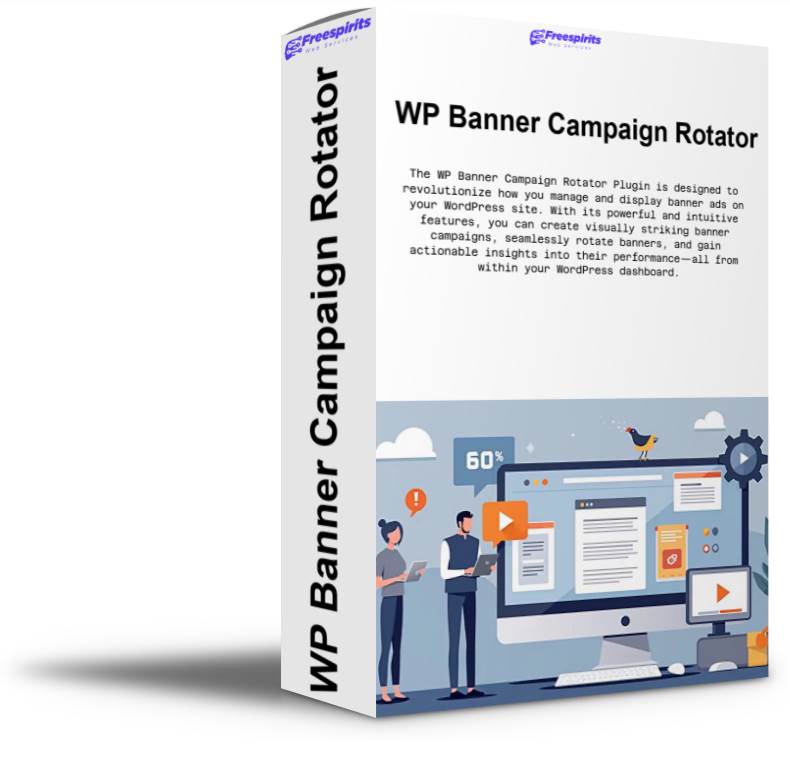
WP Banner Rotator plugin simplifies banner management in WordPress. Easily create campaigns, add rotating banners, and display them anywhere using shortcodes. Perfect for blogs, e-commerce sites, and portfolios, it provides clarity and essential metrics to enhance your advertising strategy.
Original price was: $149.00.$67.00Current price is: $67.00.
WP Banner Rotator is one of those plugins that immediately makes you think, “Why wasn’t this always built into WordPress?” If you run a blog, a news site, a niche content site, an affiliate project, an e-commerce store, or even a client portfolio, you already know the pain: banners are easy to add… until you have many of them, many campaigns, many offers, and you need a clean way to manage everything without turning your admin into chaos.
This plugin was created to solve that exact problem—simple banner rotation, organized by campaigns, with the practical workflow you actually need when you’re running real projects. It’s not a “bloated ad platform.” It’s not a confusing network dashboard that assumes you’re a media agency. It’s a lightweight, WordPress-friendly system that gives you control, clarity, and the metrics that matter so you can improve results over time.
What WP Banner Campaigns Actually Does
At its core, WP Banner Campaigns lets you create Campaigns and then add Banners inside each campaign. Then, with one shortcode or embed method, you can display rotating banners on any page, post, widget, or theme template.
But the real value is how it turns banner management into something you can actually maintain long-term:
- You can run different banner groups for different sections of your site.
- You can rotate multiple creatives without editing pages again and again.
- You can track performance and make smarter decisions based on real clicks and CTR.
- You can spot duplicates, clean up old links, and keep everything organized.
It becomes a true “campaign hub” inside WordPress—easy enough for beginners, but structured enough for power users.
A Dashboard That’s Built for Real Work
Most banner plugins fail at one key thing: the admin experience. They either give you a giant list of everything (confusing), or they push you into multiple pages and tabs where you get lost (slow).
WP Banner Campaigns was improved with a workflow-first approach. The Campaigns page is now designed to help you see everything you need at a glance, and manage banners fast without “jumping around” the admin panel.
Practical Campaign Table
Each campaign is clearly listed with the important columns:
- ID
- Name
- Description
- Banner Size
- Manage Banners
- Shortcode
- Iframe Embed Code
- HTML Embed Code
- Actions
And because in real life every admin screen looks different depending on your monitor or browser zoom, the plugin now supports resizable columns so you can set it exactly the way you like.
Resizable Columns + Persistent Layout
Here’s the part that feels “premium”: you can drag the edges of table columns and set the widths to fit your screen. Once you set your preferred layout, it stays that way.
Not “maybe.” Not “until cache clears.”
The plugin saves column widths server-side per user, meaning your admin layout remains the same even after refresh—perfect for daily usage and multi-site workflows.
If you want all fields always visible like your screenshot (Name, Description, Shortcode, Embed codes), you can set the columns once and keep them exactly like that forever.
Manage Banners Without Leaving the Campaigns Page
This is where the plugin became extremely practical.
When you click Manage Banners on a campaign, you don’t get a confusing popup or a separate page that throws you off. Instead, you get an inline campaign banner manager right below the campaign row.
That means:
- You stay on the same page
- You always know which campaign you’re editing
- You can quickly jump between campaigns
- You lose zero time navigating back and forth
Banner Dropdown (Campaign-Specific)
Inside the banner manager you’ll see a dropdown that shows only the banners that belong to that campaign.
This is important, because when you have 50+ banners across multiple campaigns, you don’t want a global list. You want:
- Campaign banners only
- Fast selection
- Quick editing
It also includes Add New Banner in the dropdown so you can create a new banner immediately without hunting for another screen.
Horizontally Aligned Banner Fields
The banner fields are aligned in a clean, practical way:
- Banner Image URL
- Banner Link URL
- Banner Description
This sounds like a small detail, but it’s the difference between a plugin that feels “OK” and a plugin that feels like it was built by someone who actually manages campaigns every day.
Instant Visual Preview
Every banner has a visual preview so you always know what you’re working on. This prevents mistakes, makes auditing easier, and speeds up your workflow dramatically—especially when you’re handling multiple creatives that look similar.
The Metrics You Need (Not the Ones You Don’t)
A banner system without stats is just guesswork. WP Banner Campaigns includes a clean stats section at the top so you get instant insight without opening extra reports.
Top Statistics Bar
The plugin now includes a polished summary at the top:
- Total Banners
- Total Links
- Total Unique Links
- Total Clicks
- Total Views
- CTR
This gives you a quick dashboard feel. You can log in, glance at the numbers, and immediately know if your banners are active, if clicks are happening, and if CTR is improving.
Why “Unique Links” Matters
This is a power feature and it’s extremely useful.
A lot of site owners reuse the same affiliate link across multiple banners or campaigns (intentionally or accidentally). With Unique Links, you can spot:
- Duplicate banner links
- Same offer used in different creatives
- Repeated tracking URLs
- Campaign “clutter” that can be cleaned up
It’s great for optimization and it also helps you keep your campaigns clean and organized.
Views (Impressions) + Accurate CTR
CTR without views is not real CTR. So the plugin also tracks views, which means CTR is based on actual impressions.
Even better: CTR tracking works reliably because views are counted both in the main display methods:
- When banners load via the iframe embed
- When banners load via the shortcode output
So CTR becomes meaningful, and you can actually compare campaigns and creatives over time.
Super Fast Copy Workflow (No More Text Selecting)
One of the most annoying parts of banner plugins is constantly selecting code inside tiny text boxes. So WP Banner Campaigns now adds Copy buttons for the important fields:
- Copy Shortcode
- Copy Iframe Embed Code
- Copy HTML Embed Code
And to keep the table clean and readable, the plugin uses a smart approach: the embed textareas remain there (so you can see/verify the code), but the copy button is placed over them so you don’t need huge columns or messy text selection.
Result: you get more space for campaign Name/Description and still have the embed code one click away.
Multiple Ways to Display Banners
Different sites have different needs. WP Banner Campaigns supports multiple deployment options so you can integrate it anywhere:
1) Shortcode
Perfect for posts, pages, Elementor shortcodes, sidebars, or content blocks:
[banner_campaign id="X"]
This is the fastest way to use campaigns across your site.
2) Iframe Embed Code
Ideal for:
- external sites
- landing pages
- simple integration without WP theme work
- situations where you want isolated rendering
3) HTML Embed Code
Great for:
- direct placement in templates
- custom HTML blocks
- static placements with controlled markup
This flexibility makes the plugin useful not only for your own websites, but also for clients who want simple copy/paste integration.
Who This Plugin Is Perfect For
WP Banner Campaigns is ideal if you are:
- Affiliate Marketer running multiple offers and creatives
- Blogger or Publisher rotating internal promos and partner banners
- Shop Owner promoting categories, offers, or seasonal deals
- Agency/Freelancer managing campaigns for multiple client sites
- No-Code Builder who wants a reliable banner system without complex setup
- Site Owner who wants quick banner control without bloated ad platforms
It’s especially valuable when you have “many campaigns, many creatives” and you want to keep everything organized while still tracking results.
Why It Feels Like a “Polished Product”
What makes WP Banner Campaigns stand out is the balance:
- It’s easy to use
- It doesn’t feel heavy
- It stays inside WordPress workflows
- It gives you the practical admin experience most plugins forget
- It includes the performance stats you actually need
- It’s built for ongoing use—not a one-time setup
With the improvements you now have—inline banner management, dropdown selection, visual preview, stats bar, unique links, views/CTR, copy buttons, resizable persistent columns—the plugin feels like a mature, professional product you can confidently use across multiple sites.
Final Thoughts
If you want a clean way to organize banners into campaigns, rotate them intelligently, and track performance directly inside WordPress, WP Banner Campaigns delivers exactly that. You get speed, clarity, and control—without the complexity of a full ad network system.
And the best part: it’s designed around how you actually work. You don’t have to adapt your workflow to the plugin. The plugin adapts to your workflow.
This is the kind of tool that quietly saves you hours, reduces mistakes, keeps your campaigns organized, and makes optimization much easier over time—especially when you manage multiple sites or you run multiple campaigns on the same website.
If you’re building and monetizing websites seriously, WP Banner Campaigns becomes one of those “must-have” plugins that you install once and then never want to work without.
Related Products