For the past few years, Heygen AI video generation has promised speed, scale, and accessibility. In practice, however, the experience has often felt more like trial and error than true creative control. You typed a prompt, waited for a render, crossed your fingers, and hoped the output landed somewhere near what you had imagined. If it didn’t, you rewrote the prompt, rendered again, and repeated the cycle. Creation was possible, but direction was limited. You weren’t really directing a video; you were guessing your way toward one.
Today, that model changes.
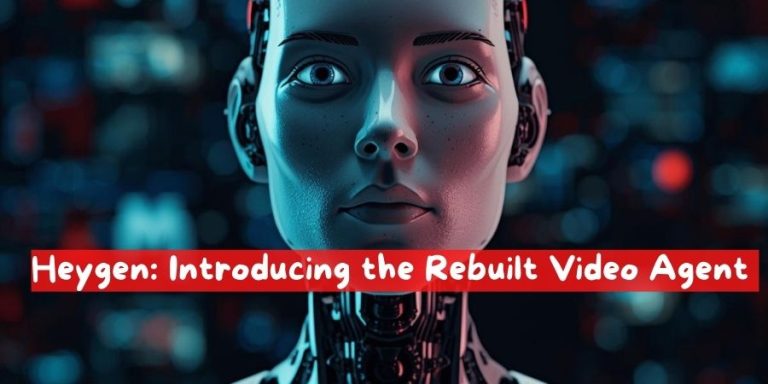
With the launch of the completely rebuilt Video Agent, AI video production moves from probabilistic outcomes to intentional creation. This isn’t a marginal upgrade or a cosmetic refresh. It’s a foundational shift in how videos are planned, edited, and refined using AI. Instead of generating first and correcting later, the Video Agent introduces clarity, visibility, and conversational control at every stage of the process.
The result is simple but powerful: you always had the message. Now you own the production.
Why Traditional AI Video Felt Limiting
To understand why this rebuild matters, it’s worth examining the core friction in earlier AI video tools. Most of them were built around a single assumption: the prompt is the product. The better your prompt, the better your result. While that worked reasonably well for short experiments or abstract visuals, it broke down quickly for real storytelling, branded content, or repeatable formats.
The problems were consistent:
Creators couldn’t see the structure of the video before it rendered. Scenes, pacing, tone, and narrative flow were hidden inside the model’s interpretation of the prompt.
Making changes meant starting over. If one scene felt too long or a visual element was off-brand, the only option was to regenerate the entire video.
Style consistency was fragile. Even when referencing a previous video, results often drifted, forcing creators to manually correct or accept inconsistencies.
Most importantly, the creative process felt backwards. Direction came after generation, not before.
The rebuilt Video Agent was designed to reverse that logic.
See the Full Blueprint Before Anything Renders
One of the most significant changes is the introduction of a full, visible video blueprint before rendering begins. Instead of committing to a black-box generation, you now see exactly what the agent plans to build.
This blueprint includes your avatar (if applicable), the visual approach, the narrative arc, and a scene-by-scene breakdown of the video. Each scene is laid out with intent, making the structure of the video explicit rather than implied. You can review pacing, transitions, and storytelling flow before a single frame is rendered.
This pre-visualization step mirrors how professional video production actually works. Directors don’t walk onto a set and “see what happens.” They work from scripts, storyboards, and shot lists. By giving you a clear plan upfront, the Video Agent aligns AI video creation with real-world creative workflows.
Just as importantly, the blueprint is fully revisable. You can adjust structure, reorder scenes, refine messaging, or rethink the opening entirely. Nothing is locked in until you approve it.
Direct Changes Through Conversation
Once you can see the plan, the next question becomes how you change it. Traditional tools rely on menus, sliders, or complex settings panels. The rebuilt Video Agent takes a different approach: conversation.
You direct changes the same way you would with a human collaborator. You can say, “Make scene three shorter,” or “Change the tone here to feel more conversational,” or “This ending needs more energy.” The agent updates the blueprint accordingly, reflecting your feedback in real time.
Crucially, these changes happen at the planning level, not after the fact. You review the updated plan, confirm that it aligns with your intent, and only then move forward to rendering. This keeps creative decisions intentional and avoids the frustration of fixing problems after they’ve already been baked into the video.
Conversation-based direction also lowers the barrier to entry. You don’t need to learn a new interface or master technical jargon. If you can describe what you want, you can direct the agent.
Edit Every Element After Rendering
Even with the best planning, refinement is part of any creative process. The rebuilt Video Agent acknowledges that by making post-render edits granular and flexible.
Once a video is rendered, every element remains editable inside the AI Studio. Text, positioning, color, layout, and visual emphasis can all be adjusted without triggering a full rebuild. This is a fundamental departure from earlier AI video systems, where even small changes required regenerating everything from scratch.
The practical impact is significant. A small tweak stays a small tweak. If a caption needs to move slightly, or a color needs to better match your brand palette, you can make that adjustment directly. The rest of the video remains intact.
This approach respects both your time and your intent. Instead of forcing you to choose between perfection and progress, it lets you iterate efficiently while preserving what already works.
Reuse Your Style Across Videos
Consistency is one of the hardest challenges in video production, especially at scale. Brands, educators, and creators all rely on recognizable visual language to build trust and familiarity. Until now, AI video tools struggled to maintain that consistency across multiple outputs.
The rebuilt Video Agent solves this by allowing you to reuse your style across videos. You can reference any previous video or template, and the agent will automatically match the look and feel. Typography, color usage, pacing, framing, and overall aesthetic are carried forward intentionally.
This means you can develop a single, coherent style and deploy it across an entire library of videos. One style becomes the foundation for infinite variations, without the drift or inconsistency that previously undermined AI-generated content.
For teams, this also simplifies collaboration. Instead of documenting complex style guides, you can point the agent to an existing example and build from there.
From Tool to Creative Partner
Taken together, these changes transform the Video Agent from a reactive tool into an active creative partner. It doesn’t just generate content; it collaborates with you through planning, direction, execution, and refinement.
The shift is subtle but profound. You’re no longer adapting your expectations to what the AI happens to produce. The AI adapts to your intent, your feedback, and your evolving vision.
This is what it means to move from guessing to directing.
Who This Is For
The rebuilt Video Agent isn’t designed for a single type of user. Its flexibility makes it valuable across a wide range of use cases.
Content creators can maintain a consistent voice and visual identity while producing more frequently. Educators can structure lessons clearly before recording, ensuring clarity and flow. Marketing teams can align videos with brand standards while iterating quickly on campaigns. Founders and product teams can communicate ideas visually without relying on large production budgets.
In each case, the common thread is ownership. You bring the message. The agent helps you shape the medium.
A More Human Creative Workflow
What’s especially notable about this launch is how closely the workflow mirrors human collaboration. Seeing a plan, giving feedback, approving changes, and refining details are all familiar steps in traditional creative work. By embedding these steps into the AI experience, the Video Agent feels less like a machine and more like a teammate.
This matters because creativity isn’t just about output; it’s about process. When creators feel in control, they experiment more, iterate faster, and produce better work. By restoring that sense of control, the rebuilt Video Agent unlocks the real potential of AI video.
Looking Ahead
This launch isn’t just about new features. It represents a broader philosophy about how AI should support creative work. Instead of replacing human judgment, it amplifies it. Instead of hiding decisions inside opaque models, it makes them visible and adjustable.
As AI continues to evolve, the tools that succeed will be the ones that respect the creator’s role. The rebuilt Video Agent is a clear step in that direction.
You always had the message. Now, with full visibility, conversational direction, granular editing, and reusable style, you truly own the production.




![ChatGPT Hecho Simple [ChatGPT Made Simple]: Cómo Cualquiera Puede Usar La Inteligencia Artificial Para Mantenerse Competitivo & Potenciar Su Productividad Laboral, Académica … La Ingeniería De Prompts [How Anyone Can Use Artificial Intelligence to Stay Competitive & Boost Their Workplace, Academic Productivity… Prompts Engineering]](https://i3.wp.com/m.media-amazon.com/images/I/71ULDECMUKL._SL1500_.jpg?w=300&resize=300,300&ssl=1 "ChatGPT Hecho Simple [ChatGPT Made Simple]: Cómo Cualquiera Puede Usar La Inteligencia Artificial Para Mantenerse Competitivo & Potenciar Su Productividad Laboral, Académica … La Ingeniería De Prompts [How Anyone Can Use Artificial Intelligence to Stay Competitive & Boost Their Workplace, Academic Productivity… Prompts Engineering]")