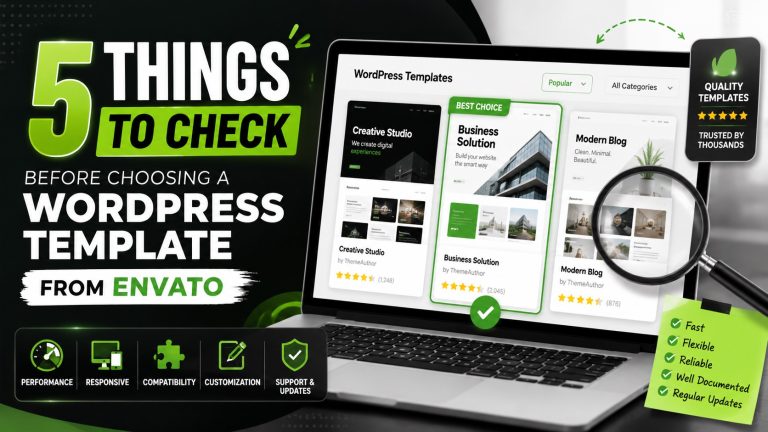
Table of Contents
- Introduction
- 1. Template Code Quality and Theme Performance
- 2. Compatibility with WordPress Core and Plugins
- 3. Customization Flexibility and Theme Options
- 4. Documentation, Support, and Community
- 5. Licensing, Updates, and Reusability
- A.I. Tool Detective
- FAQ
- Conclusion
Introduction
Purpose of this guide
This guide helps you evaluate WordPress templates from Envato before you buy. It provides practical checklists and tips aligned with real world marketing needs. You’ll get a clear path to assess quality, compatibility, and long term value.
Why template quality and compatibility matter for AI driven marketing and lead generation
Quality templates save time and reduce risk when you deploy AI tools for outreach, content, and analytics. A well built template supports fast loading, accessible design, and reliable integration with marketing plugins.
- Performance matters: faster sites convert better and support AI workloads.
- Compatibility reduces friction with AI tools and automation workflows.
- Customization safety: maintainable themes prevent churn when plans scale.
We ground every recommendation in real world usage. The goal is to help you pick Envato templates that fit consistently with your AI driven marketing stack while avoiding common pitfalls.
1. Template Code Quality and Theme Performance
Inspect clean code, semantic markup, and accessibility
Look for clean, uncluttered HTML structure and semantic elements. Labels, headings, and landmarks help screen readers and search engines understand content.
Ensure CSS is modular and scoped to prevent style bleed across components. Consistent class naming makes future updates straightforward.
- Accessible navigation with meaningful alt text and ARIA considerations
- Clearly labeled form controls and error handling
- Respect for color contrast and responsive typography
Check performance metrics and optimization practices
Performance matters for user experience and AI driven workloads. A well optimized template loads quickly and scales with content growth.
- Optimized asset delivery with lazy loading and efficient image formats
- Minified, concatenated scripts with proper load order to reduce render blocking
- Use of caching strategies and a lightweight framework or vanilla JS where possible
| Aspect | What to Verify | Impact |
|---|---|---|
| Code quality | Semantic HTML, clean markup, accessible attributes | Better SEO and usability for all users |
| Performance | Asset optimization, lazy loading, efficient scripts | Faster load times and smoother AI integrations |
| Maintainability | Modular CSS, logical file structure, clear naming | Easier long term updates and fewer regressions |
2. Compatibility with WordPress Core and Plugins
Assess compatibility with the latest WordPress version
Ensure the template clearly states compatibility with the current WordPress core, including supported version ranges and maintenance timelines. Aligning with the latest core reduces security gaps and feature mismatches.
- Officially tested with the latest WordPress release
- Regular updates synced with core changes
- Notes on deprecations and migration steps
Evaluate how the template plays with essential plugins and potential conflicts with AI tools
Assess how the template plays with essential plugins you rely on. AI tools for automation, analytics, and content creation should integrate without breaking styles or functionality.
- Prebuilt compatibility with popular page builders and SEO plugins
- Conflict notes for caching, security, and AI integrations
- Guidance on resolving plugin specific issues without compromising design
| Aspect | What to Verify | Impact |
|---|---|---|
| Core alignment | Supported WordPress versions and update cadence | Reduces breakage after core updates |
| Plugin compatibility | List of tested plugins and known conflicts | Smooth workflow for AI tools and automation |
| Conflict resolution | Clear steps for troubleshooting and rollback | Faster recovery with minimal downtime |
3. Customization Flexibility and Theme Options
Review built-in customization options and page builder support
You want a template that adapts without heavy code edits. Look for a robust set of theme options, modular color schemes, and typography controls. Easy customization: Drag-and-drop options for effortless editing should be explicit, with clean integration points.
- Global color and font presets that align with your brand
- Prebuilt layouts for key pages plus header, footer, and archive templates
- Drag-and-drop compatibility with popular builders and seamless widget areas
Evaluate maintainability of customizations for long-term use
Consider how easy it is to update without breaking existing work. Favor themes that separate content from presentation and minimize hard-coded values.
- Child-theme readiness and clear upgrade paths
- Documented code snippets and inline comments for future editors
- Consistent naming conventions and isolated CSS to prevent style drift
| Aspect | What to Verify | Impact |
|---|---|---|
| Customization depth | Available theme options, builder compatibility | Fewer code changes when brand updates occur |
| Maintainability | Child theme support, clear upgrade notes | Lower risk of regressions after updates |
| Code quality | Well-documented, modular CSS and JS | Easier long-term upkeep and scalability |
4. Documentation, Support, and Community
Assess documentation quality and update history
Clear documentation helps you onboard quickly and reduce setup risk. Look for practical guides that explain installation, customization, and common troubleshooting steps. Update history should reflect ongoing maintenance and alignment with WordPress changes.
- Structured guides for installation and customization
- Changelog with dates and fixes to core templates and assets
- Searchable, downloadable reference materials
Evaluate available support channels and community resources
Multiple support channels speed up issue resolution. Prefer clear response expectations, fast timelines, and escalation paths. A thriving user community accelerates problem solving and knowledge sharing.
- Official help center with tutorials and FAQs
- Ticketing or live chat for urgent questions
- Active forums or groups for peer advice and best practices
| Aspect | What to Verify | Impact |
|---|---|---|
| Documentation depth | Comprehensive setup, customization, and troubleshooting sections | Speeds up adoption and reduces errors |
| Update cadence | Regular, transparent release notes and timelines | Keeps templates aligned with WordPress changes |
| Support variety | Multiple channels and clear response expectations | Improved resolution times and confidence |
5. Licensing, Updates, and Reusability
Understand licensing terms and per-site vs. multi-site use
Licensing governs how you can use a WordPress template across projects. Check whether the license covers a single site or allows multi-site deployment. This affects cost efficiency and future scalability.
- Per-site licenses limit usage to one domain
- Multi-site licenses permit deployment across several projects
- Clarify sublicensing rights for client work and resell scenarios
Consider update cadence and assets reuse across projects
Regular updates keep templates aligned with WordPress core and plugins. Look for a predictable release schedule and clear upgrade guidance. Reusability matters when repurposing sections, templates, or assets in future builds.
- Defined update frequency and support window
- Asset portability for fonts, images, and UI blocks
- Backward compatibility notes to minimize rework
| Aspect | What to Verify | Impact |
|---|---|---|
| License scope | Single-site vs multi-site allowances, client usage terms | Cost guidance and reuse flexibility |
| Update policy | Cadence, compatibility guarantees, upgrade guidance | Smooth maintenance and lower rework risk |
| Asset portability | Movable templates, blocks, and media assets | Faster adaptation across projects |
A.I. Tool Detective
How the platform analyzes templates for AI-driven marketing needs
You gain a practical lens to assess Envato templates against AI and automation goals. The platform reviews code cleanliness, semantic structure, and accessibility to support reliable data extraction and on-page indexing for AI tools.
It also checks compatibility with dynamic content blocks, schema markup readiness, and embedded video or asset metadata. These factors influence how easily an AI system can interpret and reuse template components for personalized campaigns.
- Code quality signals that reduce parsing errors in automation scripts
- Accessible markup that improves screen reader and bot reliability
- Asset metadata and tagging for faster AI cataloging
What to look for in Envato templates from an AI and automation perspective
From an AI angle, focus on templates that enable seamless content variation, data driven sections, and predictable rendering across devices. Prioritize templates with modular blocks that can be swapped or reconfigured by AI workflows without breaking layout.
- Clear separation of content and presentation for easier automation
- Built-in support for dynamic content and personalized sections
- Well documented options for integrating AI tools and plugins
| AI Consideration | What to Verify | Impact |
|---|---|---|
| Semantic structure | Proper heading order, ARIA attributes, accessible navigation | Improved AI interpretation and accessibility |
| Dynamic blocks | Modular, reusable components with clear inputs | Faster AI driven content variations |
| Asset metadata | Descriptive alt text, captions, and tags | More accurate AI asset tagging and searchability |
FAQ
How do I test a WordPress template before buying?
Start with a live demo or a staging site to review core features, responsiveness, and editor compatibility. Look for a trial or sandbox environment that mirrors your setup.
- Check page speed on the demo to gauge performance.
- Test key templates with your preferred plugins and AI tools.
- Verify accessibility and semantic structure in the demo environment.
Can I switch templates without losing content?
Yes, but plan for a smooth transfer by keeping content in the WordPress editor and using the same post types. The goal is to preserve data while reflowing layouts.
- Export and back up your content before swapping templates.
- Use a staging site to validate layout compatibility with your content.
- Prepare to reconfigure custom blocks or modules after switching.
| Concern | What to Verify | Impact |
|---|---|---|
| Data retention | Content remains intact across template changes | Minimized rework |
| Layout compatibility | Existing pages render correctly with new templates | Fewer visual adjustments |
| Plugin interactions | Key plugins work without conflicts | Stable functionality |
Conclusion
Final checklist recap
Wrap up by focusing on practical, measurable criteria. Prioritize code quality, plugin compatibility, customization depth, documentation, and licensing. These factors impact reliability, maintainability, and reuse across projects.
- Verify clean, accessible code and performance best practices
- Confirm WordPress core and plugin compatibility, especially with AI tools
- Assess customization options and long term maintainability
- Evaluate documentation, updates, and support channels
- Understand licensing terms for single-site and multi-site use
Next steps for selecting an Envato WordPress template
Start with a structured test plan in a staging environment that mirrors your AI driven workflows and content variations. Ensure assets and blocks can be reconfigured by automation tools without layout breaks.
- Run performance and accessibility checks on a representative page set
- Test key integrations with your preferred AI and automation plugins
- Review the license scope and update cadence before purchase
| Decision Criterion | Action | Expected Outcome |
|---|---|---|
| Code quality | Inspect markup, semantic structure, and ARIA | Reliable AI content parsing |
| Compatibility | Test WordPress core version and plugins | Fewer conflicts |
| Customization | Review built-in options and page builder support | Flexible future adaptations |
References